
Walk into almost any office that has been around for more than a decade, and you’ll find the same scene: filing cabinets lining the walls, a storage room no one wants to deal with, and boxes of documents that feel too important to shred but too buried to use.
At some point, that paper stops being an archive. It becomes an obstacle.
Most people don’t think of overflowing filing cabinets as a productivity issue. But every minute someone spends hunting for a document is a minute they’re not doing the work they were hired to do. That adds up fast.
Backfile scanning is one of the best ways to solve the problem.

What Is Backfile Scanning?
Backfile scanning is the process of converting your existing paper records into searchable digital files. It’s focused on the documents you already have, the ones sitting in cabinets, binders, and off-site storage facilities, not just the new ones coming in.
That distinction matters. Day-forward scanning captures documents as they arrive. Backfile scanning tackles the backlog: HR files, financial records, client contracts, patient histories, legal documents, archived project files. Depending on the organization, that might mean a few dozen boxes or several thousand.
The goal isn’t simply to make paper disappear. It’s to make information usable: searchable, shareable, and accessible without anyone needing to physically dig for it.
Done properly, backfile scanning is the foundation of a better document management system. Done without a plan, it just turns a paper mess into a digital one.
When Does It Make Sense to Start?
There’s rarely a single moment that makes the decision obvious. It’s usually a slow build of smaller frustrations until something tips the scale.
You’re running out of space. Cabinets expand into hallways. A storage room that was supposed to be temporary becomes permanent. Some organizations turn to off-site storage, which helps with space but creates a new problem: needing to request boxes in advance and waiting days to access records you might need right now.
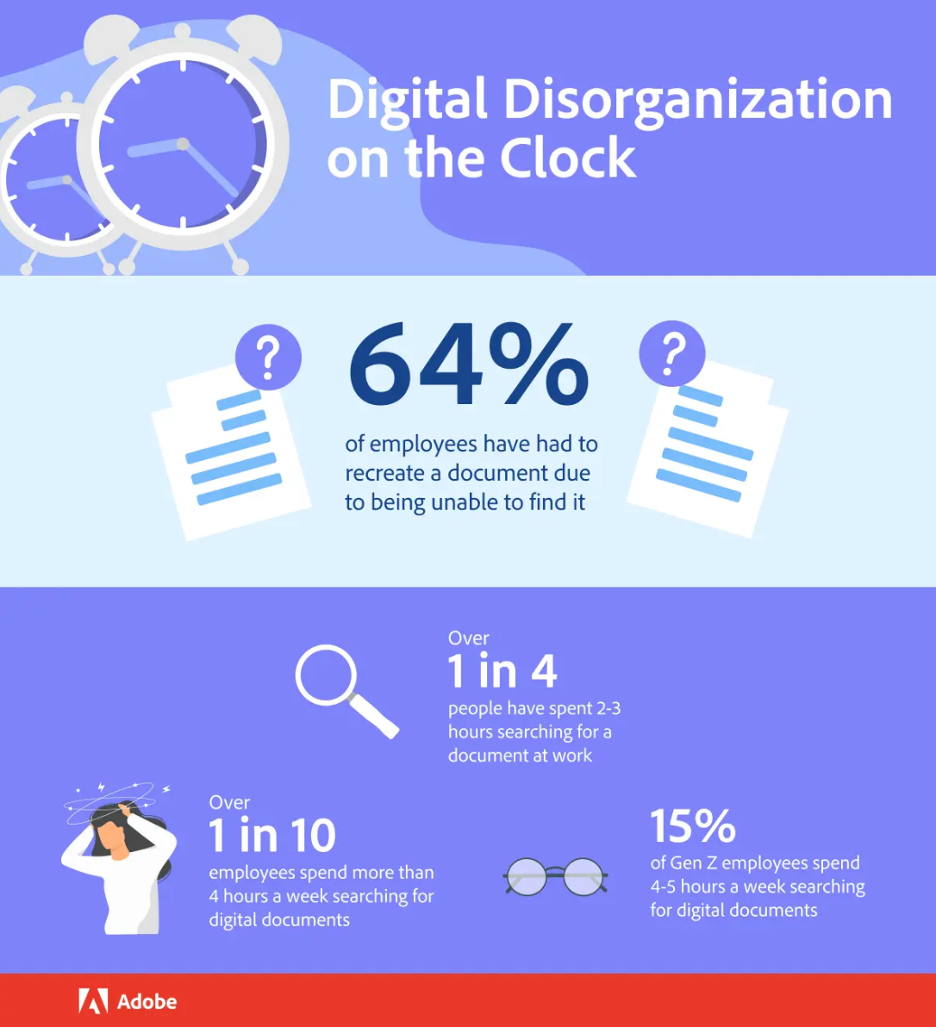
Finding documents takes too long. When staff spend chunks of their day hunting for files, or just giving up and recreating documents they can’t locate, it slows everything down. And unlike a one-time problem, it happens every single day.
Compliance or legal pressure is increasing. Audits, discovery requests, and regulatory reviews don’t wait for convenient timing. When the call comes in, the ability to quickly pull accurate, complete records makes an enormous difference. Paper-based systems make that process slower and riskier than it needs to be.
Your team is no longer in one place. Remote and hybrid work have changed the equation for paper entirely. If accessing a record requires someone to physically be in the office, you’ve built a bottleneck into your workflow that gets more costly the more distributed your team becomes.
A transition is already underway. Office moves, mergers, leadership changes, and system upgrades are all natural inflection points. They create momentum for addressing things that have been put off, and they usually force a harder look at what you actually need to keep.
It’s rarely one thing that pushes organizations to act. It’s when space, access, and efficiency all start falling apart at once.
Why Businesses Are Prioritizing Digitization Now
The benefits of backfile scanning used to be easy to defer. Now they’re increasingly hard to ignore.
Faster access to information. When documents are properly scanned and indexed, retrieving a file takes seconds instead of minutes or hours. A well-structured digital archive means anyone with the right permissions can find what they need, from anywhere, without waiting for anyone else.
Better security and accountability. Paper files are vulnerable in ways that are easy to overlook until something goes wrong: a misplaced folder, a file left on a desk, a box that never made it back from storage. Digital records can be protected with access controls, permission levels, and audit trails that show exactly who viewed or modified a document and when. That kind of visibility is increasingly expected, especially in regulated industries.
Reduced storage costs. Off-site storage fees add up year over year, often for documents that are rarely, if ever, accessed. Digitizing those records can allow organizations to significantly reduce or eliminate those costs and reclaim physical space for work that supports the business.
Stronger compliance and records management. Retention policies are far easier to apply consistently when records are digital. You can set automated rules for how long documents are kept, flag what needs to be disposed of, and demonstrate compliance quickly when it’s required.
Workflows that move. Paper creates bottlenecks at every stage. Contracts wait on desks. Approvals back up because the physical document hasn’t made it to the right desk yet. Client requests stall because the relevant file is at another location. Digital documents can be shared instantly, reviewed simultaneously, and integrated into workflows that keep work moving.
How to Approach a Large-Scale Scanning Project
The biggest mistake organizations make is treating backfile scanning as a one-time task rather than a structured project. The ones that get it right follow a clear process.
Start with an honest assessment. Before scanning anything, understand what you have. Identify the types of documents you hold, where they’re stored, how often they’re accessed, and how long they need to be kept. Some records are high priority: compliance-critical files, frequently referenced contracts, active client records. Others are rarely touched and may not need to be digitized at all if they’ve passed their retention period.
Define what success looks like. Are you primarily trying to free up space? Improve access for a remote team? Prepare for an audit? Clear goals help you prioritize which records to tackle first and prevent the project from sprawling.
Decide who’s doing the work. Smaller projects can sometimes be handled in-house if equipment and bandwidth allow. Larger ones almost always benefit from a dedicated scanning provider, someone who can handle high volumes, maintain consistent quality, and take the workload off your internal team.
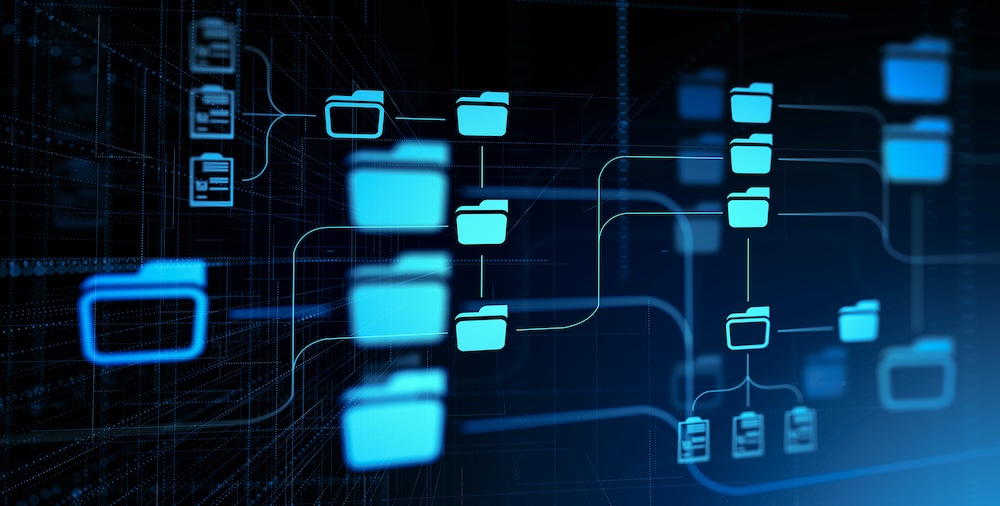
Build your indexing structure before you scan a single page. This is where most projects stumble. Scanned documents are only useful if they can be found. Establish your naming conventions, metadata fields, and folder structure upfront: document type, date, client name, department, whatever makes sense for how your team searches. Retrofitting an organizational system after thousands of documents are already scanned is painful.
Don’t skip security. Physical documents need chain-of-custody tracking during transport and scanning. Digital files need access controls, encryption, and backup procedures. If your organization operates in a regulated industry such as healthcare, legal, or finance, compliance requirements should be driving decisions at every step.
Integrate scanned files into your document management system. Scanning without a destination is where digitization projects fall apart. Files that land on a shared drive with no structure quickly become digital chaos. A proper document management system ensures records are organized, governed by retention policies, and accessible to the right people.
Train your team. Even a well-executed scanning project fails if people don’t know how to use the result. Clear training on how to find, access, and save documents digitally prevents the slow drift back to paper-based habits.
Common Pitfalls and How to Avoid Them
Underestimating the scope. What looks manageable on paper often grows once everything is properly counted. Starting with a pilot, such as a single department or document type, builds confidence and surfaces process issues before they affect the entire project.
Scanning without organizing. A digital archive with no structure is just a different kind of mess. Invest the time upfront in indexing rules and naming conventions.
Disrupting daily operations. Pulling large volumes of active files for scanning can interfere with normal work. Prioritizing inactive or archived records first, and scheduling scanning in phases, reduces the impact.
Treating it as a one-time event. Without ongoing document management policies in place, new paper accumulates and the problem restarts. Pairing scanning with a clear records management strategy is what makes the improvement stick.
The Before and After
Before digitization: a team member needs a client contract from three years ago. They check the cabinet, but it’s not there. They ask around. Someone suggests it might be in off-site storage. A request goes in. Two days later, the box arrives.
After digitization: they open the document management system, type the client’s name, and have the contract on their screen in under a minute.
That difference, repeated across every person on your team every week, is where the real value of backfile scanning shows up. Not in the cleared storage room, though that’s real too. In the time your people get back to spend on work that moves your business forward.

What It Comes Down To
Large-scale digitization projects feel daunting at first, but with a clear plan, the right structure, and realistic expectations, they’re entirely manageable. Start with your highest-priority records, build your indexing system before you scan anything, and make sure digital files have a proper home to go to.
Organizations that take control of their records grow faster, handle compliance with less stress, and stop losing hours every week to an entirely solvable problem. If your storage room is quietly holding your business back, it might be time to do something about it.
Not sure where to start? The team at MOM can walk you through the process from assessment to implementation. Contact us today for a free consultation.
About Modern Office Methods (MOM)
Modern Office Methods has helped businesses navigate their document challenges for over 60 years. They offer Production Print Solutions, Managed Print Services, Software Solutions and IT Services to help enhance their customers’ business processes while reducing expenses.
For the latest industry trends and technology insights visit MOM’s main Blog page.
Leave A Comment
You must be logged in to post a comment.