

Think about this scenario: a bank teller prints off some customer documents before closing. The printer is close by, in fact, it’s just down the hall. But by the time you walk over to pick them up, the papers are already in the output tray. Anyone walking by that printer would be able to see them.
Nothing was hacked, and no system failed. But the customer’s sensitive information was open for all to see.
This is the kind of thing that typically doesn’t get flagged as a security risk, but it’s a big one. It is the kind of issue that can raise concerns during an audit.

When it comes to compliance, printer security isn’t often considered. However, modern office printers store data, connect to networks, and handle some of the most sensitive information in your organization, just like computers do.
If your printers aren’t properly secured, they can create compliance issues you may not even realize are occurring. In this blog, we’ll take a look at how unsecured printers can compromise compliance and what you can do about it.
Printers Are a Bigger Risk Than Most Teams Realize
Businesses are beginning to realize that their print environments aren’t as secure as they once thought. Consider that:
67% of organizations experienced at least one data loss tied to insecure printing practices in the past year. – Quocirca Print Security Landscape 2024
Problems begin when you don’t have clear insight into your print activity and security. For compliance, you need to be able to prove that your documents are handled properly from the time they’re printed to when they’re picked up.
Where Print Security Becomes a Problem
Regular daily printing habits and overlooked security controls are most often responsible for compliance lapses. Here are some things to look out for:
Unclaimed Documents
In a busy office, it’s common for printed documents to be left in output trays. And it can only take a minute for the wrong person to see them or scoop them up.
This is a major compliance violation if those documents include:
- Customer financial information
- Employee records
- Contracts or internal reports

No Authentication Required Between Shared Devices
Printers are often shared across departments, so many different people use the same device throughout the day. Without authentication, anyone can print, scan, or access documents from that device.
This means that there is no way to verify who is using the printer at any given time, and no control over who has access to it. In regulated environments, lack of access controls can raise concerns during audits.
No Tracking or Accountability
Even when a business has a print policy in place, it often doesn’t mean you have visibility into what actually happens at the printer. There is no physical record of print activity.
Without a login, you can’t answer questions like: Who printed the document? When was it printed? Which printer was used?
If there’s a problem, there isn’t an easy way to find the source or to prove that the right procedures were followed.
Working Under Pressure
In financial or customer-facing environments, every second counts. Documents must be printed and retrieved immediately to keep up.
That pace increases the likelihood of:
- Documents being left behind
- Print jobs are being mixed up.
- Sensitive information is being seen by the wrong person.
These problems happen often. They disrupt daily work and put security at risk.
Why This Matters for Compliance
Regulatory compliance depends on how organizations protect sensitive data, not just on how they manage their printers.
That includes:
- Who can access it
- How it is stored
- How it is shared
- How exposure is prevented
Printers play a key role in keeping data secure and meeting compliance requirements.
Once digital files are printed as physical documents, it becomes harder to control them. Security then relies on both technology and user behavior.
Auditors look beyond just the systems. They also check if there are controls to prevent data exposure at every step.
Printing environments often create chances for control failures, which makes them high-risk areas in compliance efforts.
What Secure Print Environments Do Differently
Securing print environments usually means adjusting a few often-missed risk areas, not completely overhauling your systems.
Two-Factor Authentication at the Device
Adding authentication to the printer changes how people access it and helps protect sensitive information.
Now, instead of anyone being able to use the printer, users have to prove who they are. This can be done with a badge, a PIN, or a mobile device.
Using a second authentication step greatly lowers the risk of unauthorized access and ensures only approved users handle sensitive documents.
This method also improves traceability and accountability for all printing in the organization.
Secure Release Printing
Waiting to print documents until the user authenticates is a simple and effective way to reduce risk.
With secure release printing:
- Documents are held in a queue.
- They are printed only when the user authenticates on the device.
This process removes the risk of unclaimed documents being left in the print area.
Papers are no longer left unattended. They are printed only when the person who requested them is present to pick them up.
This is a small change to the workflow, but it fixes one of the most common gaps in print security.
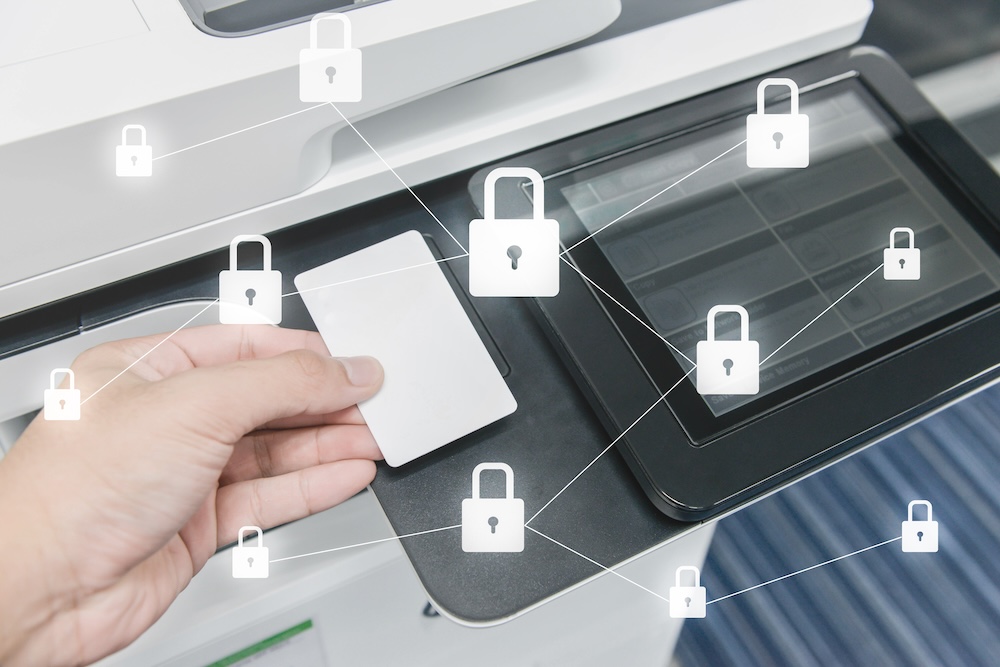
Audit Logging and Visibility
Many organizations struggle with visibility.
When audit logging is lacking, it creates gaps in accountability and makes investigations and compliance checks harder.
Audit logging provides:
- A record of who printed each document
- Time and device information
- A traceable history of activity
Audit records give the evidence needed for investigations and show that controls are being followed.
Print Rules for High-Risk Environments
Not all print environments carry the same level of risk for organizations.
Teller stations, healthcare front desks, and other customer-facing areas handle sensitive information at higher volume and speed.
Setting strict print rules in these areas adds strong controls.
Examples include:
- Restricting certain document types to specific devices
- Limiting access based on user roles
- Preventing printing of sensitive data outside approved workflows
These controls help cut down on mistakes in places where people often work quickly instead of carefully.

The Overlooked Risk: Human Behavior
Technology cannot remove all risk. Human behavior still plays a big role.
Research shows that documents printed outside regulated environments, such as home or unmanaged devices, are a major contributor to print-related data loss, with studies identifying home printing as a key risk factor.
This proves that strong system controls and careful following of procedures by everyone are both needed for good security.
Common habits that create risk include:
- Printing and forgetting to collect documents
- Using shared devices without checking the output trays
- Sending jobs to the wrong printer
- Printing sensitive information outside approved locations
Even with advanced technology, staying compliant requires consistently applying controls and ensuring users are aware of the risks.
Why Printers Commonly Get Overlooked
Organizations often secure their networks and endpoints, but forget about printers.
However, print environments must be included within the security strategy.
One reason is how people see printers. They are often viewed as tools rather than as connected devices that store and process data.
Organizations need to update their view of printers and understand the risks they pose.
Modern printers:
- Store documents temporarily or permanently
- Connect to internal networks.
- Integrate with cloud systems.
- Support user authentication and access control.
Treating printers differently from other endpoints creates security risks that are not acceptable.
Bringing Print Into Your Security Strategy
Making print security better doesn’t have to be hard.
Include printers in your security strategy right from the beginning.
After that, focus on a few practical steps:
- Require authentication on all devices.
- Implement secure release printing.
- Turn on detailed audit logging.
- Apply rules for high-risk environments.
- Review how and where sensitive documents are printed.
Taking these steps not only lowers your risk but also shows auditors that your business is in control.
Taking Control of Print Risks
Printers don’t often cross your mind… until something goes wrong.
Yet this overlooked corner of the office is quietly one of the more common sources of organizational vulnerability. Data loss through printing happens far more often than most companies realize, and it typically stems not from dramatic breaches but from the routines of everyday work.
The good news: these risks are manageable. With the right controls in place, printers can shift from liability to asset, keeping your organization both protected and accountable.
About Modern Office Methods (MOM)
Modern Office Methods has helped businesses navigate their document challenges for over 60 years. They offer Production Print Solutions, Managed Print Services, Software Solutions and IT Services to help enhance their customers’ business processes while reducing expenses.
For the latest industry trends and technology insights, visit MOM’s main Blog page.
Leave A Comment
You must be logged in to post a comment.