

The digital transformation of education has brought unprecedented focus to cybersecurity, with schools and colleges investing heavily in firewalls, encryption, and access controls. Yet one critical vulnerability often flies under the radar: networked printers and multifunction devices.
In educational environments where sensitive student information flows constantly, printers represent a significant weak point in data protection strategies. From transcripts and disciplinary records to financial aid documents and health information, the types of data passing through campus printers demand rigorous security standards, especially given the Family Educational Rights and Privacy Act (FERPA) requirements governing student data privacy.
This blog explores three essential pillars for securing student data at the print level: robust authentication controls, secure release printing systems, and FERPA-compliant policies and practices.

Understanding the Printer Security Threat in Educational Environments
Educational institutions face unique challenges when it comes to printer security. Unlike corporate environments with controlled access, schools and universities operate in semi-public spaces where hundreds or thousands of users access shared printing resources daily.

Common vulnerabilities include:
- Sensitive documents left unattended in output trays for hours
- Print queues accessible to unauthorized users with basic technical knowledge
- Printer hard drives storing copies of thousands of sensitive documents
- Unsecured network connections enabling data interception
- Devices accessed by anyone walking past without authentication
Types of student data at risk:
- Academic records and grades
- Special education documentation
- Disciplinary records
- Social Security numbers on financial aid forms
- Health information from counseling or medical services
- Personally identifiable information in admissions documents
The consequences extend beyond privacy violations. Schools face potential FERPA complaints and investigations, reputational damage affecting enrollment and community trust, legal liability from affected students and families, and financial costs of breach notification and remediation.
Implementing Strong Authentication Controls
The foundation of printer security begins with controlling who can access printing devices and services. Default configurations that allow anyone on the network to print to any device create an open invitation for unauthorized access.
Modern authentication solutions for educational environments:
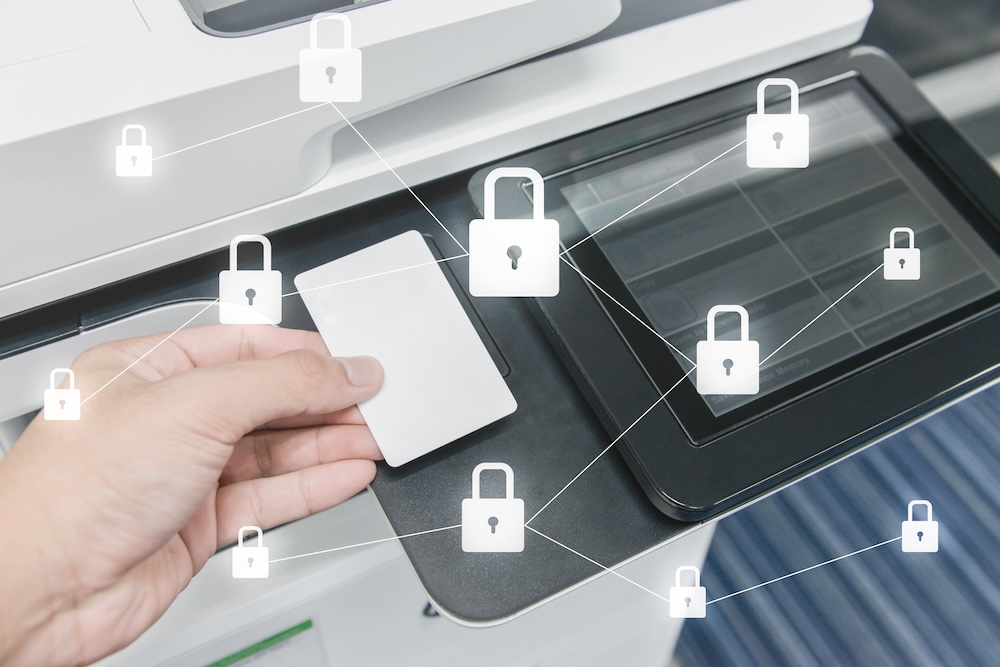
Badge or card-based authentication: Leverages existing student and staff ID cards, allowing users to authenticate at the device by tapping or swiping their credential. This integrates seamlessly with existing campus card systems and provides strong user identification.
PIN codes: Users enter a unique code at the printer to release their jobs. Simpler to implement but slightly less secure as PINs can be shared or observed.
Biometric authentication: Fingerprint or facial recognition provides the highest security level but requires more significant investment in compatible hardware.
Mobile authentication: Institutional apps enable users to release print jobs from smartphones, combining convenience with security.
Beyond device-level authentication, institutions should implement network-level security measures: segmenting printer traffic on separate VLANs, using encrypted protocols for print job transmission, and implementing certificate-based authentication between devices and print servers.
Role-based access controls ensure:
- Students can only access student-designated printers
- Faculty have appropriate access to department resources
- Administrative staff can print sensitive records only on secured devices in restricted areas
Authentication creates an audit trail showing exactly who printed what and when, proving invaluable for security investigations and compliance documentation.
Secure Release Printing: The Essential Defense Layer
Secure release printing (also called pull printing or follow-me printing) holds print jobs in a secure queue until the user authenticates at a device and actively releases them, eliminating one of the greatest printer security vulnerabilities: unattended documents in output trays.
How it works:
- Student submits a print job from any computer
- Job is sent to a secure central queue instead of immediately printing
- Student walks to any enabled printer on campus
- Student authenticates using their ID card or PIN
- Student selects which documents to print from their queue
- Student retrieves documents immediately
- Unreleased jobs automatically delete after 24-72 hours
Key security benefits:
- Documents never sit unattended where unauthorized individuals can view them
- Users can choose the most convenient or private location to print
- Print jobs follow users across campus rather than being tied to specific devices
- Automatic deletion ensures forgotten jobs don’t remain vulnerable indefinitely
Beyond security, secure release printing delivers additional benefits. Paper waste drops dramatically when users must actively release jobs. Printing becomes more accountable as every page is tied to an authenticated user. IT management simplifies with centralized queue management.
Implementation best practices:
- Place release stations strategically in high-traffic areas like libraries and student centers
- Configure automatic deletion timers based on institutional needs
- Provide clear instructions at each device and during orientation
- Consider mobile release options for added convenience
- Monitor adoption rates and gather feedback to refine the system
FERPA Compliance and Best Practices
The Family Educational Rights and Privacy Act establishes strict requirements for protecting student education records, and those requirements explicitly extend to printed materials. FERPA defines education records as any records directly related to a student that are maintained by an educational institution, regardless of format.
Printer security controls play a direct role in meeting these obligations by limiting access to sensitive information and documenting how that information is handled.
How printer security aligns with FERPA obligations:
- Authentication and secure release ensure only authorized users have access to specific student records
- Audit trails document who accessed which records and when
- Automatic deletion prevents prolonged exposure of sensitive information
- Physical and network security measures protect records during transmission and storage
These technical safeguards must be supported by proper documentation to demonstrate compliance during audits or investigations.
Required documentation and audit trails:
- Logs of print jobs containing student records
- Authentication events showing who accessed which documents
- Security incidents involving printed materials
- Policy acknowledgments from faculty and staff
- Training completion records for personnel handling student data
Technical controls and documentation alone, however, are not enough. FERPA compliance also depends on how faculty and staff interact with printed student records in everyday situations.
Essential staff training topics:
- Which documents contain protected information, often more than employees realize
- Why secure printing matters for student privacy and regulatory compliance
- How to properly use authentication and secure release systems
- What to do if unattended student documents are discovered
- Reporting procedures for potential data exposure or breaches
To reinforce consistent behavior and reduce risk, institutions must formalize expectations through clear, enforceable policies.
Institutional policies should address:
- Acceptable use guidelines for printing student records
- Requirements for using secure release when handling protected information
- Protocols for disposing of printed student records through secure shredding
- Physical security expectations for areas where student records are printed
- Restrictions on printing to personal or home printers
When printed documents are compromised, institutions should have defined incident response procedures that cover documentation, assessment of affected students, notification when required, remediation steps, and potential reporting to the Department of Education.

Additional Practical Tips for Comprehensive Printer Security
Regular firmware updates and patch management: Printer manufacturers regularly release security patches addressing newly discovered vulnerabilities. Establish schedules for checking and applying updates, subscribe to security bulletins, and maintain an inventory of all networked printers with firmware version tracking.
Encryption throughout the printing process: Enable encryption for data in transit between computers and printers using protocols like IPPS or SNMPv3. Ensure printer hard drives use encryption for stored data. When decommissioning devices, use Department of Defense-approved data wiping methods or physically destroy hard drives.
Physical security measures: Place high-security printers in areas with controlled access, such as administrative offices requiring key card entry. Position printers where natural supervision occurs. Install cameras in areas where highly sensitive documents are printed.
Proper disposal procedures: Before disposing of printers, wipe or destroy hard drives and non-volatile memory. Use certified e-waste disposal services that provide destruction certificates. Document the disposal process for compliance records.
Mobile printing security: Ensure mobile printing solutions require authentication and encrypt data transmissions. Consider whether mobile printing should be restricted for sensitive materials. Educate users about the security implications of printing from personal devices.
Next Steps
Securing student data from printer vulnerabilities requires a comprehensive approach built on three essential pillars: robust authentication to control access, secure release printing to prevent exposure, and FERPA-compliant policies to ensure institutional accountability.
The reality is that printer security is not optional; it’s a fundamental requirement for any institution serious about protecting student privacy and meeting regulatory obligations. Modern technologies make comprehensive printer security both achievable and cost-effective, often with added benefits of reduced waste, improved accountability, and simpler day-to-day print management.
Now is the time to assess your current printer security posture. Walk through your campus and honestly evaluate whether sensitive student documents could be sitting unattended in output trays. Review your authentication controls and determine whether unauthorized users could access printers containing protected information.
Creating a true culture of data privacy means extending security consciousness to every touchpoint where student information appears, including the often-overlooked, but critically important, realm of printers and printed documents.
About Modern Office Methods (MOM)
Modern Office Methods has helped businesses navigate their document challenges for over 60 years. They offer Production Print Solutions, Managed Print Services, Software Solutions and IT Services to help enhance their customers’ business processes while reducing expenses.
For the latest industry trends and technology insights visit MOM’s main Blog page.
Leave A Comment
You must be logged in to post a comment.