
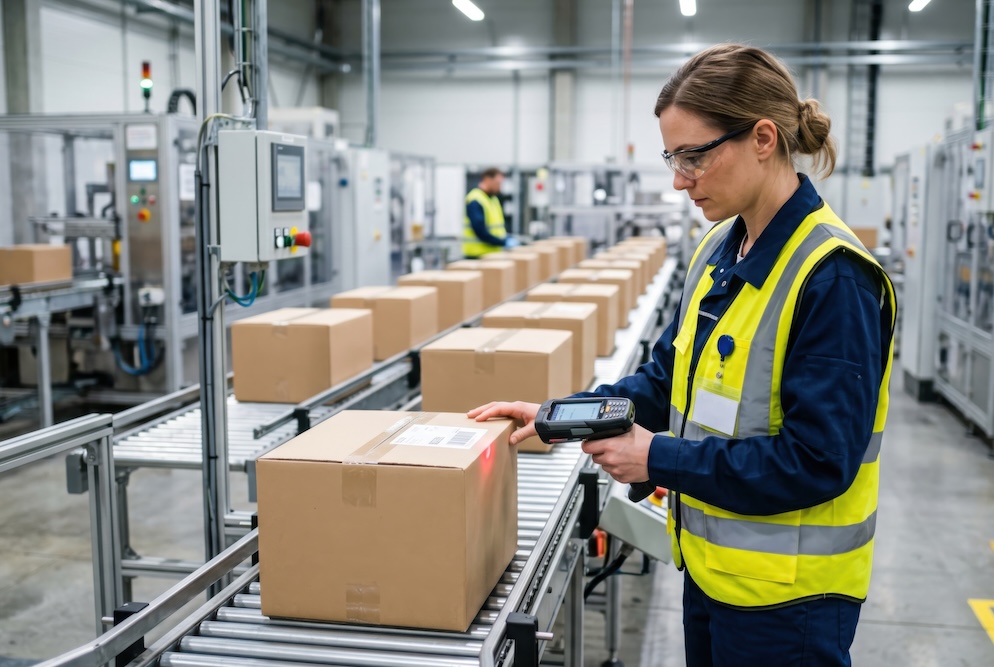
Walk through almost any manufacturing facility, and you’ll find labels everywhere: on raw materials, work-in-progress bins, finished goods, shipping pallets, and equipment. Most of the time, they barely get a second thought.
That changes quickly when something goes wrong.
Talk to a plant manager dealing with a mislabeled shipment or a procurement team scrambling to locate inventory that was supposed to be in a specific location, and it becomes clear how important labeling really is. Labels tie together every stage of a manufacturing operation. When labeling systems work properly, products move efficiently, inventory stays visible, and shipments stay on track. When they don’t, delays, confusion, and costly mistakes can follow.
In this blog we’ll look at how barcode label printing supports manufacturing workflows, where common gaps often occur, and how the right Zebra barcode printer technology can help improve accuracy, visibility, and day-to-day productivity.

Why Labeling Is a Data Problem, Not Just a Printing Problem
In a manufacturing environment labels do much more than display text or barcodes. They connect physical products to inventory records, ERP systems, shipping workflows, and traceability data.
That connection can break down in several ways. Labels printed on the wrong stock may fade under UV exposure or smear when exposed to oils and solvents. Outdated templates can introduce incorrect product codes into your ERP system. Labels printed far from the point of use are often applied in a hurry, increasing the risk of mistakes.
None of these is a dramatic failure on its own. They’re small inefficiencies that accumulate over time and eventually affect productivity, inventory accuracy, and customer shipments.
According to McKinsey, many manufacturers still struggle with visibility into their upstream supply chains, especially beyond first-tier suppliers. Limited label-based traceability is often part of the problem. When components aren’t consistently labeled from the moment they enter a facility, tracking them through production and fulfillment becomes far more manual than it should be.
The Three Stages Where Labeling Matters Most
1. Receiving and Inventory Management
The label lifecycle in manufacturing starts at the dock door. When raw materials, components, or sub-assemblies arrive, receiving teams need to identify, verify, and store them quickly and accurately. Without a consistent labeling process, this is often where inventory problems begin.
Supplier labels may arrive in non-standard formats. Lot numbers sometimes get re-entered manually. Expiration dates may never make it into the system at all. By the time materials reach the production floor, the gap between what the ERP says and what’s physically available may already exist.
Industrial barcode printers help eliminate much of that uncertainty. When Zebra thermal label printers are connected to an ERP or inventory management system, receiving staff can generate standardized labels immediately after materials are scanned and verified. The label includes the correct internal part number, quantity, lot code, and storage location in a format designed for the business’s own workflow.
The two primary thermal printing methods used in manufacturing are direct thermal and thermal transfer printing.
Direct thermal printing uses heat-sensitive label stock and works well for short-term applications like receiving labels, temporary bin labels, and work-in-progress tags.
Thermal transfer printing uses a ribbon to create a more durable image that can withstand solvents, abrasion, moisture, and outdoor conditions. It’s often the better choice for labels that need to last throughout the full manufacturing or shipping lifecycle.

2. Work-in-Progress Tracking on the Production Floor
This is usually where labeling requirements become more demanding.
In many manufacturing environments, a single component moves through multiple production stages before becoming a finished product. Materials are added, inspections are performed, and status updates need to be tracked throughout the process. Work-in-progress labels help maintain visibility at every stage.
These labels don’t just identify a product. They also track where it has been, what processes have been completed, and where it needs to go next. In industries such as food and beverage, automotive, medical device manufacturing, and aerospace, that level of traceability is often directly tied to compliance requirements and recall readiness.
Industrial barcode printers are designed specifically for these environments. Unlike office-grade desktop printers, industrial thermal printers are built to handle high-volume printing without frequent jams, overheating, or print-quality drift.
Zebra industrial barcode printers, including the ZT400 and ZT600 series, are commonly used in manufacturing facilities because they’re designed for continuous operation and harsh production environments.
For facilities where labels need to be printed away from a fixed workstation, mobile thermal printers can also improve workflow efficiency. Workers can print labels directly at the assembly line, in warehouse aisles, or in shipping areas instead of walking back and forth to a shared printer station. That reduces delays and lowers the risk of labels getting mixed up before they’re applied.
3. Fulfillment and Outbound Shipping
Once a product is packaged and ready to leave the facility, labeling becomes directly tied to customer satisfaction.
Shipping labels, carton labels, packing labels, and GS1-compliant barcodes all need to meet the strict requirements of retailers, distributors, and logistics providers. When they don’t, the consequences are immediate.
Many retailers and third-party logistics providers issue chargebacks when shipments arrive with labels that fail to scan, contain incorrect information, or don’t meet formatting standards. For manufacturers supplying larger organizations, those penalties can become an avoidable source of lost revenue.
A properly configured barcode printing system helps ensure outbound labels are generated directly from live order data and formatted according to each customer’s specifications. Print resolution, label stock, and calibration also matter more than many teams realize. A label may look perfectly readable to a person while still failing during automated scanning.
Where Managed Print Services Fit In
Many manufacturers are moving toward Managed Print to reduce the burden of maintaining and supporting their printer fleets in-house.
For barcode and thermal label printing, this approach often makes practical sense. Industrial printers require routine calibration, printhead cleaning, firmware updates, and periodic parts replacement. Label stock and ribbons also need to be matched correctly to each printer model and application.
When a printer goes down during a busy production shift, the impact extends well beyond the hardware itself. Production slows down while employees troubleshoot equipment that may fall outside their primary responsibilities.
A Managed Print Services program helps address those issues proactively.
Supplies monitoring and automatic replenishment reduce the risk of running out of labels or ribbon mid-shift. Preventive maintenance helps identify potential failures before they interrupt production. It also gives operations and IT teams a single point of contact for support, instead of juggling multiple vendors for printers, labels, and repairs.
For many manufacturers, Managed Print Services offer a more predictable, cost-effective approach than managing a print fleet independently.

799518
Label Design and Integration: The Step That Often Gets Overlooked
Even the best industrial barcode printer can produce poor results if the label template itself isn’t designed correctly.
Label design is an area that many manufacturing operations underestimate. A good template needs to account for label size, material type, print area limitations, barcode standards, required data fields, and human-readable text.
Barcode formatting also matters. Different applications may require Code 128, GS1-128, QR codes, or Data Matrix barcodes depending on customer, compliance, or operational requirements.
Zebra’s ZPL (Zebra Programming Language) remains one of the most widely used standards for thermal label printing. Most enterprise label design platforms, including ZebraDesigner, NiceLabel, and Loftware, generate ZPL output.
Integration with ERP systems such as SAP, Oracle, or Microsoft Dynamics allows label data to be pulled directly from live records rather than entered manually. That’s where many of the biggest improvements in accuracy happen.
If your label templates were created years ago and haven’t been reviewed since, it may be time for an audit. Outdated templates are a common source of labeling errors, even in facilities with otherwise strong operational processes.
A Note on RFID
Traditional barcode labels require a direct line-of-sight scan. RFID technology does not.
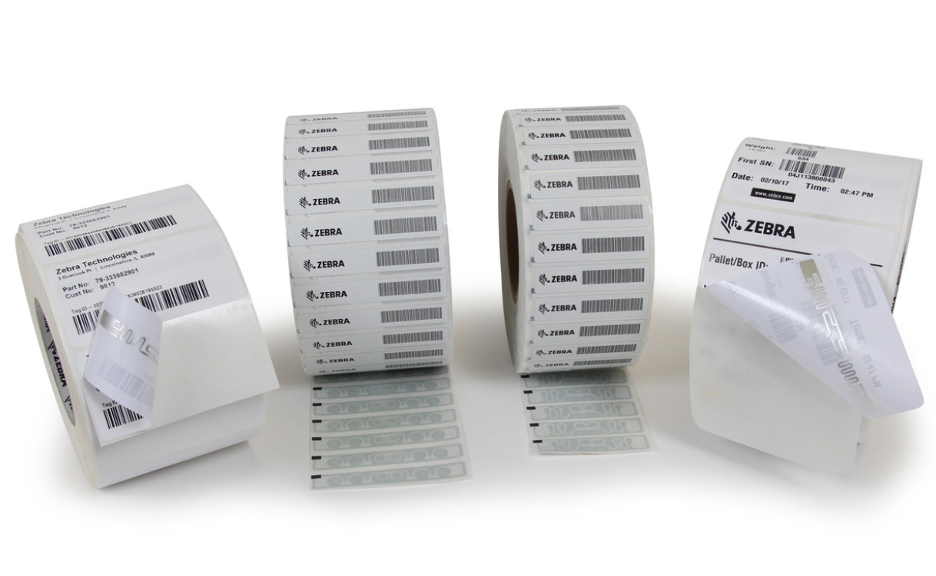
RFID-enabled labels contain a small, embedded chip that can be read remotely without the label needing to be oriented toward a scanner. In some environments, RFID readers can scan multiple items simultaneously through packaging or at a distance.
For high-volume manufacturing and distribution operations, barcodes alone can’t always provide the advantages.
RFID is commonly used for pallet-level tracking, asset management, tool tracking, and high-speed fulfillment workflows where manual scanning would slow operations down.
Zebra RFID printers can print and encode RFID smart labels in a single pass, combining both visual barcode information and RFID functionality on the same label.
RFID labels typically cost more than traditional barcode labels, so most manufacturers adopt them selectively. In many cases, a hybrid approach works best: standard barcode labels for most applications and RFID for areas where speed, automation, or asset visibility matter most.
Getting Started: What to Evaluate First
If you’re reviewing your current manufacturing label printing setup, these are often the best places to start:
Printer placement: Are printers located where labeling happens, or are employees walking to shared devices and carrying labels back to the work area?
Label stock and ribbon compatibility: Are you using the right materials for the environment and application?
Template accuracy: When was the last time your label templates were reviewed against current inventory data, compliance requirements, and customer specifications?
Supply management: Are label and ribbon supplies consistently monitored, or are you experiencing shortages and overstock?
System integration: Are labels generated from live ERP and inventory data, or are employees manually entering information at the printer?
These questions often reveal where waste, delays, and accuracy issues are concentrated.
How Modern Office Methods Can Help
Modern Office Methods works with manufacturers across Ohio to assess, deploy, and manage Zebra barcode printer environments through its FleetCare program.
That includes:
- Hardware selection and deployment
- Supplies monitoring and auto-replenishment
- Preventive maintenance and support
- Usage reporting and fleet visibility
- Ongoing optimization of barcode printing workflows
If inconsistent labeling, inventory visibility issues, or printer downtime are slowing down your operation, a print assessment can help identify where the gaps are and what improvements may have the biggest impact.
Modern Office Methods offers print assessments to help manufacturers evaluate their current environment and identify opportunities for improvement.
Frequently Asked Questions
What’s the difference between direct thermal and thermal transfer printing?
Direct thermal printing uses heat-sensitive label stock and is best suited for short-term applications like shipping labels, receiving tags, and temporary inventory labels.
Thermal transfer printing uses a ribbon to create a more durable print that can withstand heat, abrasion, moisture, solvents, and outdoor conditions. It’s typically the better option for long-term industrial labeling applications.
Do Zebra printers integrate with ERP systems like SAP or Microsoft Dynamics?
Yes. Zebra barcode printers support ZPL (Zebra Programming Language), which integrates with many enterprise label design platforms. Those platforms can connect directly to ERP systems such as SAP, Oracle, and Microsoft Dynamics to automatically pull live data into label templates.
When does RFID make more sense than standard barcodes?
RFID becomes valuable when manual barcode scanning creates bottlenecks or visibility challenges.
Common examples include pallet-level tracking, asset management, tool tracking, and high-speed fulfillment operations that require scanning multiple items simultaneously without direct line of sight.
About Modern Office Methods (MOM)
Modern Office Methods has helped businesses navigate their document challenges for over 60 years. They offer Production Print Solutions, Managed Print Services, Software Solutions and IT Services to help enhance their customers’ business processes while reducing expenses.
For the latest industry trends and technology insights, visit MOM’s main Blog page.
Leave A Comment
You must be logged in to post a comment.